 Twitter
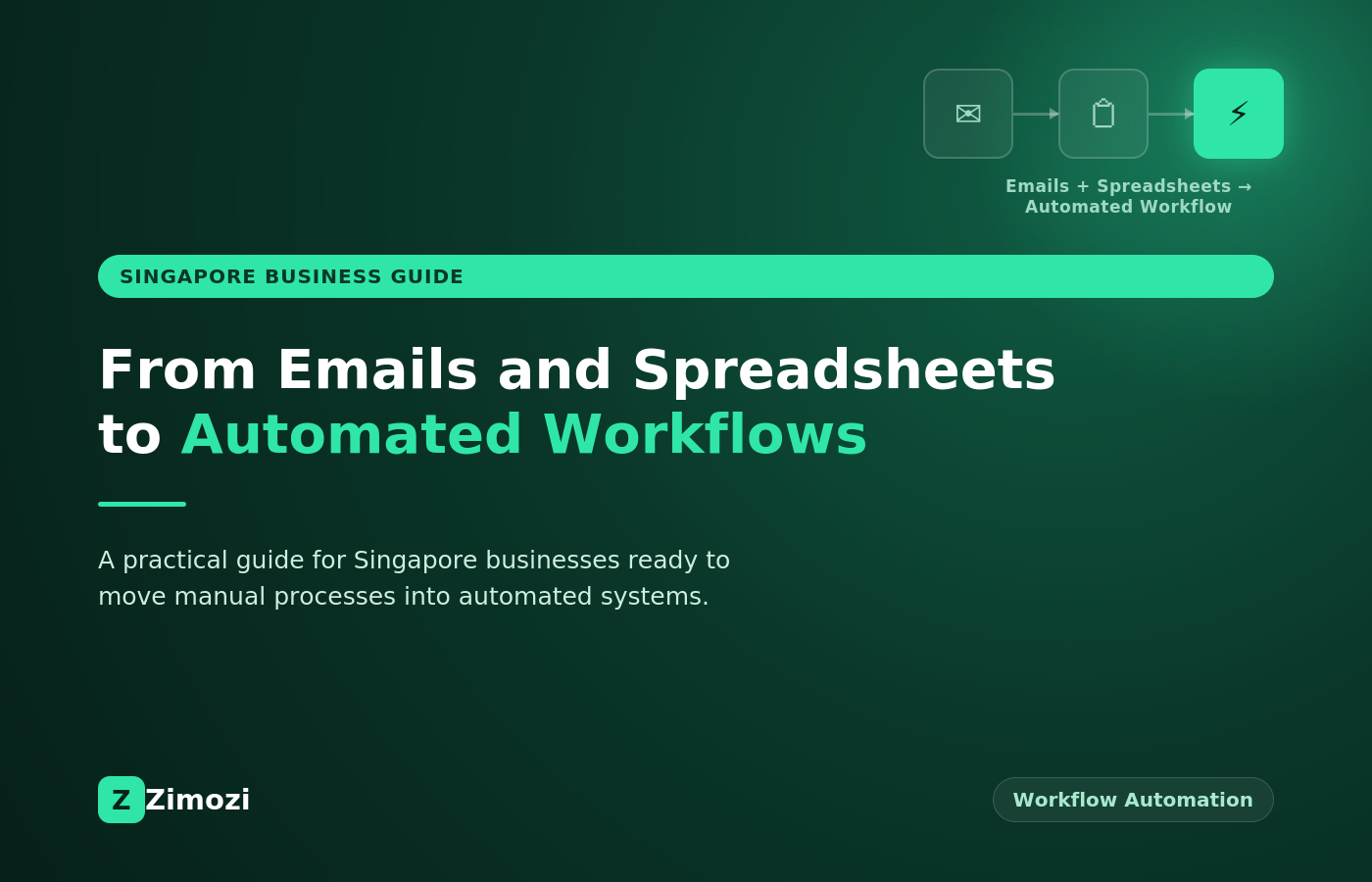
Many business processes still depend on emails, spreadsheets, manual data entry, and repeated follow-ups. These methods can work for simple tasks, but they can become difficult to manage when the number of customers, transactions, employees, or requests increases.
Workflow automation can connect these steps and reduce the amount of repetitive work handled manually.
For Singapore businesses, workflow automation Singapore projects can connect existing business systems, move information between applications, process documents, trigger notifications, and support routine tasks without requiring employees to manage every step themselves.
The goal is not to automate everything. A better approach is to identify one repetitive process, understand how it works, and then decide whether automation can make that process easier to manage. This guide looks at where workflow automation Singapore businesses typically start, and how to approach it without overhauling every system at once.
What Is Workflow Automation?
Workflow automation uses software to perform a sequence of predefined business tasks.
For example, a simple workflow could work like this:
A customer submits a form.
The information is stored in a database.
The system checks the submitted information.
A notification is sent to the appropriate employee.
A record is created in the CRM.
The customer receives a confirmation email.
Without automation, an employee may need to complete several of these steps manually.
With workflow automation, software can handle suitable steps based on predefined rules. This is the basic principle behind most workflow automation Singapore projects, regardless of the industry or process involved.
Workflow automation Singapore solutions can help businesses connect repetitive tasks with existing software systems.
Why Businesses Automate Repetitive Work
Repetitive tasks often involve moving information from one place to another.
An employee may receive information by email, copy it into a spreadsheet, update a CRM record, send a confirmation, and then follow up later.
When the same process happens repeatedly, it can be worth examining whether some of the steps can be automated.
Common examples include:
Data entry
Customer enquiries
Email notifications
Appointment confirmations
Document processing
Lead assignment
Internal approvals
Customer follow-ups
Report generation
Status updates
Workflow automation Singapore solutions can be designed around the specific process rather than forcing the business to replace every existing system.
Singapore’s Infocomm Media Development Authority (IMDA) also supports businesses adopting digital tools like automation as part of national digitalisation programmes, which makes this a good time for local companies to review their manual processes.
SMEs exploring this shift may also want to look at Enterprise Singapore’s Productivity Solutions Grant, which co-funds the adoption of pre-approved digital and automation solutions for eligible local companies.
Start With Emails and Spreadsheets
Emails and spreadsheets are often useful starting points when identifying automation opportunities.
Consider a business that receives customer enquiries through email.
An employee may need to:
Read the email.
Identify the customer and request.
Copy information into a spreadsheet.
Assign the enquiry to a team member.
Send an acknowledgement.
Follow up later.
Update the spreadsheet when the enquiry is resolved.
Some of these steps may be suitable for automation.
A web form could collect structured information. The submitted data could then be stored in a database or CRM, while an automated workflow sends the appropriate notification.
The employee can then focus on reviewing the enquiry instead of repeatedly copying information between systems. This kind of manual-to-digital shift is usually the first practical step in any workflow automation Singapore project, and it is often where a team gets engineering support to build that first version.
Connect Existing Business Systems
Automation becomes more useful when different business applications can communicate with each other.
A business might use:
CRM software
Accounting software
Email platforms
Customer support systems
Inventory software
Databases
Internal applications
Web and mobile applications
APIs can allow these systems to exchange information.
For example, when a new customer is added to a website, an automated workflow could create a corresponding CRM record and notify the relevant team.
The exact workflow depends on the systems already being used and the information that needs to move between them.
A workflow automation Singapore project can connect these systems around a clearly defined business process. This is the kind of engineering work ZI takes on, connecting CRMs, accounting tools, and internal applications so they share data automatically.
Automate Customer Enquiries
Customer enquiries are another area where businesses may have repetitive steps.
A workflow could receive an enquiry through a website form and automatically:
Store the customer information
Categorise the enquiry
Create a support or sales record
Assign it to the relevant team
Send a confirmation email
Notify an employee
AI can also be added when the workflow requires language-based tasks.
For example, an AI system could classify an incoming message based on its content before the workflow routes it to the appropriate team.
The final business decision can still remain with a human where necessary. This is one of the more common entry points for workflow automation Singapore teams evaluate first, since enquiry handling tends to be highly repetitive.
Automate Document-Based Processes
Many businesses receive information through documents such as forms, invoices, applications, reports, or contracts.
A document workflow can use software to receive the file, extract relevant information, validate the data, and send it to another system.
For example:
Document received → Information extracted → Data checked → Record created → Employee notified
AI can assist with document classification or information extraction when the process involves unstructured text.
However, documents containing sensitive or important information may still require human review. Document-heavy processes are a common focus for workflow automation Singapore projects, particularly in finance, logistics, and professional services.
Automate Internal Approvals
Approval processes can also contain repetitive administrative steps.
For example, an employee may submit a request through a form. The workflow can then determine which person needs to review it.
The system can:
Receive the request.
Check the submitted information.
Identify the appropriate approver.
Send a notification.
Record the decision.
Update the request status.
Notify the employee.
This creates a consistent process while keeping the approval decision with the authorised person, which is often a priority for workflow automation Singapore projects involving internal operations.
Use AI Where It Adds Value
Not every automation workflow needs AI.
Traditional automation is often sufficient when the process follows clear rules.
For example:
If a customer submits a form, create a CRM record and send a confirmation email.
This is a rule-based workflow.
AI becomes more useful when the workflow needs to interpret information.
For example:
Read a customer message, identify the type of request, and send it to the appropriate team.
The right approach depends on the process.
Workflow automation Singapore projects can combine traditional software automation with AI when both are useful. For more on how this plays out in real builds, our insights cover the practical side of product and engineering decisions like this one.
How to Choose the Right Process to Automate
Businesses should not start by asking, “What can we automate?”
A better question is:
“Which repetitive process is causing unnecessary manual work?”
Look for processes that:
Happen frequently
Follow predictable steps
Require repeated data entry
Move information between systems
Depend on regular notifications
Have clear business rules
Take time away from higher-value work
A process that happens once a month may not justify significant development work.
A process that happens hundreds of times each month may deserve closer attention, and is often where a workflow automation Singapore project delivers the most value.
What Should Not Be Automated?
Automation is not suitable for every business decision.
Processes may require human involvement when they involve:
Sensitive customer information
Complex exceptions
Financial decisions
Legal decisions
High-impact customer outcomes
Situations that require judgement
Automation can still support these processes without making the final decision.
For example, software can collect information and prepare a case for review while an authorised employee makes the final decision. A well designed workflow automation Singapore project accounts for these boundaries from the start rather than trying to remove human review entirely.
Security and Data Protection
Automation often moves information between different systems.
Businesses should understand what data is being transferred, where it is stored, who can access it, and which applications receive it.
Access controls should be applied according to the role of each user and the requirements of the workflow.
Businesses handling personal data in Singapore can refer to the Personal Data Protection Commission (PDPC) for information about data protection obligations. Any workflow automation Singapore project handling customer or employee data should be built with these obligations in mind.
Security considerations may include:
User authentication
Access permissions
Secure APIs
Data encryption
Activity logging
Data retention
System monitoring
Third-party service access
The appropriate controls depend on the type of data and the workflow being automated.
A Practical Example
Consider a Singapore company that receives service requests through email.
The current process may look like this:
Customer email → Employee reads email → Information copied to spreadsheet → Employee assigns request → Follow-up email → Spreadsheet updated
A redesigned workflow could look like:
Customer form → Information stored → Request categorised → CRM record created → Team notified → Customer confirmation sent
If the request requires language understanding, an AI component could classify the message before assigning it.
The employee still reviews the request where necessary, but the repetitive administrative steps can be handled by software.
This is a practical way to approach workflow automation Singapore without trying to automate an entire business at once.
How to Start a Workflow Automation Project
A practical automation project can begin with six steps.
1. Map the Current Process
Write down every step from the beginning to the end of the process.
2. Identify Repetitive Tasks
Mark the steps that involve repeated data entry, notifications, document handling, or system updates.
3. Identify the Systems Involved
List the applications, databases, spreadsheets, email platforms, and APIs currently used.
4. Define the Automation Rules
Decide which actions can happen automatically and which decisions should remain with employees.
5. Build a Small First Version
Start with one workflow rather than automating several unrelated processes at once.
6. Test and Monitor
Check whether the workflow handles normal cases, errors, missing information, and exceptions correctly.
Most successful workflow automation Singapore projects follow roughly this sequence, starting narrow and expanding once the first workflow proves useful.
How Zimozi Can Support Workflow Automation
Zimozi works with businesses on custom software, AI applications, workflow automation, and system integrations, helping teams get from idea to a working first version without overbuilding.
For a workflow project, this usually means a custom web application that collects customer requests, connects with a CRM, uses AI to classify enquiries where useful, and notifies the right employee automatically. The work can involve APIs, databases, authentication, and the underlying workflow logic that ties the pieces together.
If you are weighing up a similar project, you can get in touch to talk through the idea and what a first version could look like.
Conclusion
Workflow automation can help businesses reduce repetitive administrative work by connecting emails, forms, spreadsheets, applications, and business systems.
The most practical starting point is usually one clearly defined process with predictable steps.
Businesses can then determine which tasks should be automated, where AI may be useful, and where human review should remain part of the workflow.
For businesses considering workflow automation Singapore, Zimozi can help define a manageable first use case and assess the software, integration, and automation requirements.